TweakPower — представляет собой единый графический интерфейс объединивший целый пакет продвинутых инструментов для оптимизации, очистки и настройки компьютера, работающего в среде Windows.Эффективные средства диагностики и выявления ошибок в операционной системе помогут выявить не только дыры в безопасности, но и освободить свободное место на дисках.
Интерфейс программы, в настоящее время поддерживает только два языка, а именно английский и немецкий языки, но от этого ценность и мощность инструментов в наличии не умоляется. Русский язык интегрирован частично,возможны ошибки в переводе. Управление не вызывает никаких вопросов у опытных пользователей, да и менее опытные пользователи смогут без особого труда понять принципы управления. Для малоопытных, в TweakPower реализована функция оптимизации и очистки одним кликом.
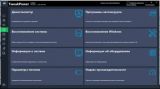
После запуска приложения, главное окно отображает много информации, каждый из информационных элементов активный. Пользователь сможет получить расширенную информацию после нажатия на пункт его интересующий. Также можно увидеть режим работы ПК, оценки производительности настроить режим работы, а также получить основные сведения параметров безопасности системы.
Функция очистки 1 Click Optimize позволит быстро проанализировать реестр на наличие неверных записей или пустых ключей, очистка браузера, очистка системы и наконец будет произведен поиска плагинов — Plugin-Cleaner., Второй этап запускает собственно саму оптимизацию.
Основные инструменты или функции: • Очистка мусора, следов посещения интернет страниц, реестра. • Управление автозапуском приложений. • Управление запуском задач. • Деинсталлятор. • Выявление и исправление ошибок на дисках. • Обнаружение типичных ошибок Windows. • Настройка режимов, стиля оболочки системы, подключений, изменение системных настоек, дисплей, печать и много другого. • Настройка параметров безопасности. • Резервное копирование и восстановление точками восстановления. • Режим Турбо, позволяющий отключить более 70 фоновых процессов. • Функция безвозвратного удаления данных с дисков. • Сплиттер файлов. • Дефрагментатор. • Встроенной менеджер задач.
• Clean up — keep your PC fit. Remove unnecessary files, clean up the registry, delete internet traces, and optimize your computer with just one click to ensure more stability. • System Maintenance — Autostart programs, Autoplay, and Manage scheduled tasks, uninstall or change uninstaller programs, troubleshoot disk errors, and troubleshoot typical Windows problems. • Customize Windows — Give Windows your own style. Customize the Windows interface by customizing the appearance of Windows, including colors, window frames, icons, buttons, startup and logon screen, startup menu, desktop display, explorer, and login. • Communication — Customize Internet Explorer, Firefox and your connections to your needs and synchronize your computer with the atomic clock of a time server of your choice. • Economy Mode — Significantly prolongs battery life by reducing the power consumption of the processor, switching off unnecessary background processes and reducing the power consumed by internal and external devices. • Turbo Mode — One click turns off over 70 unnecessary processes, releasing power for faster browsing, gaming and videos. • Windows Repair Section to fix a large majority of known Windows problems. • System Settings — Change the settings of the system, the input devices, drives, application programs, and effects to better customize Windows to your needs. • Security — Protect your PC with the security features of Windows. Configure and manage the settings for the firewall, defrag, automatic updates, user account control, and security center. Permanently delete sensitive data from the hard drive, encrypt files using the highly advanced Advanced Encryption Standard (AES encryption), and safely delete the original files, control the settings of the display, printer, network, and protect your privacy 'AnitSpy'. • Data backups — TweakPower saves all optimizations. All changes from TweakPower can be taken back here. Restore points enable you to restore the computer’s system files and settings to an earlier state, and to perform a complete backup or restore of the registry. • Other features — The file splitter allows you to split files of any size into multiple files, quickly and easily find out about the complete system settings and devices, browse the registry in Turbo mode, and get an overview of important system utilities. • Add-ons — Defragment — Shortens the loading time of programs, speeds up the opening and copying of files, and lets programs and games run more smoothly. TaskManger — Used to manage running programs, display processor usage and save usage, and provide full control over the active programs. 1-Click Maintenance and Automatic Maintenance — Resolves PC problems and automatically increases the performance of programs and games with one click. And much more…
О Portable Портативная версия предоставлена Разработчиком,работает без инсталляции на компьютер!
Что нового в версии v1.173 (11 Mar 2021) — Added delayed Autorun — Improved Communication Settings — Bug fixes — Improved performance
Дата : 2021 г. Разработчик : Kurt Zimmermann Язык: русский Лицензия: Freeware Размер: 33 MB
TweakPower 2.026 + Portable TweakPower — представляет собой единый интерфейс, который объединил целый пакет продвинутых инструментов для оптимизации, очистки и настройки компьютера, работающего в среде Windows. Эффективные средства диагностики и выявления ошибок в операционной
Отзывы на "TweakPower 1.173 + Portable (Ru/Ml)" (0)
Смело оставляйте комментарии.Наиболее активным будет доступно больше функций







Отзывы на "TweakPower 1.173 + Portable (Ru/Ml)" (0)